Analytics
Monitor requests and improve your AI assistant using Dashboard and Request viewer in EBI's AI Studio.
Outcome
By the end of this guide you will be able to find requests, open request details, decide what to improve, and export request or conversation data from EBI's AI Studio.
Prerequisites
- Your AI assistant is live (recommended)
- You have at least a few real (or test) conversations
Steps
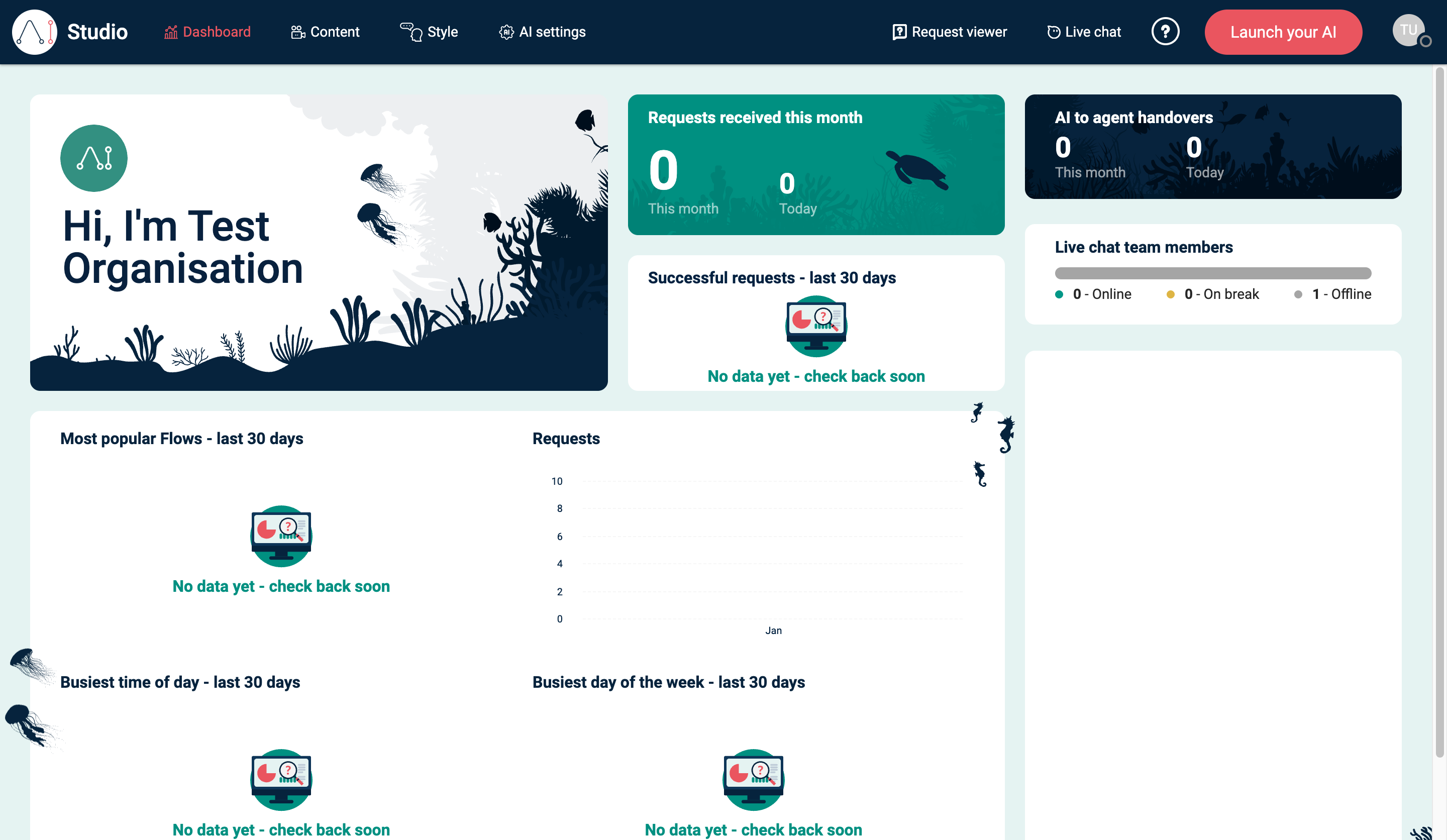
1) Check headline metrics in Dashboard
- In the top navigation, select Dashboard.
- Review:
- Requests received this month
- Most popular Flows - last 30 days
- Other activity panels (they show “No data yet” until you have traffic)
2) Review individual requests in Request viewer
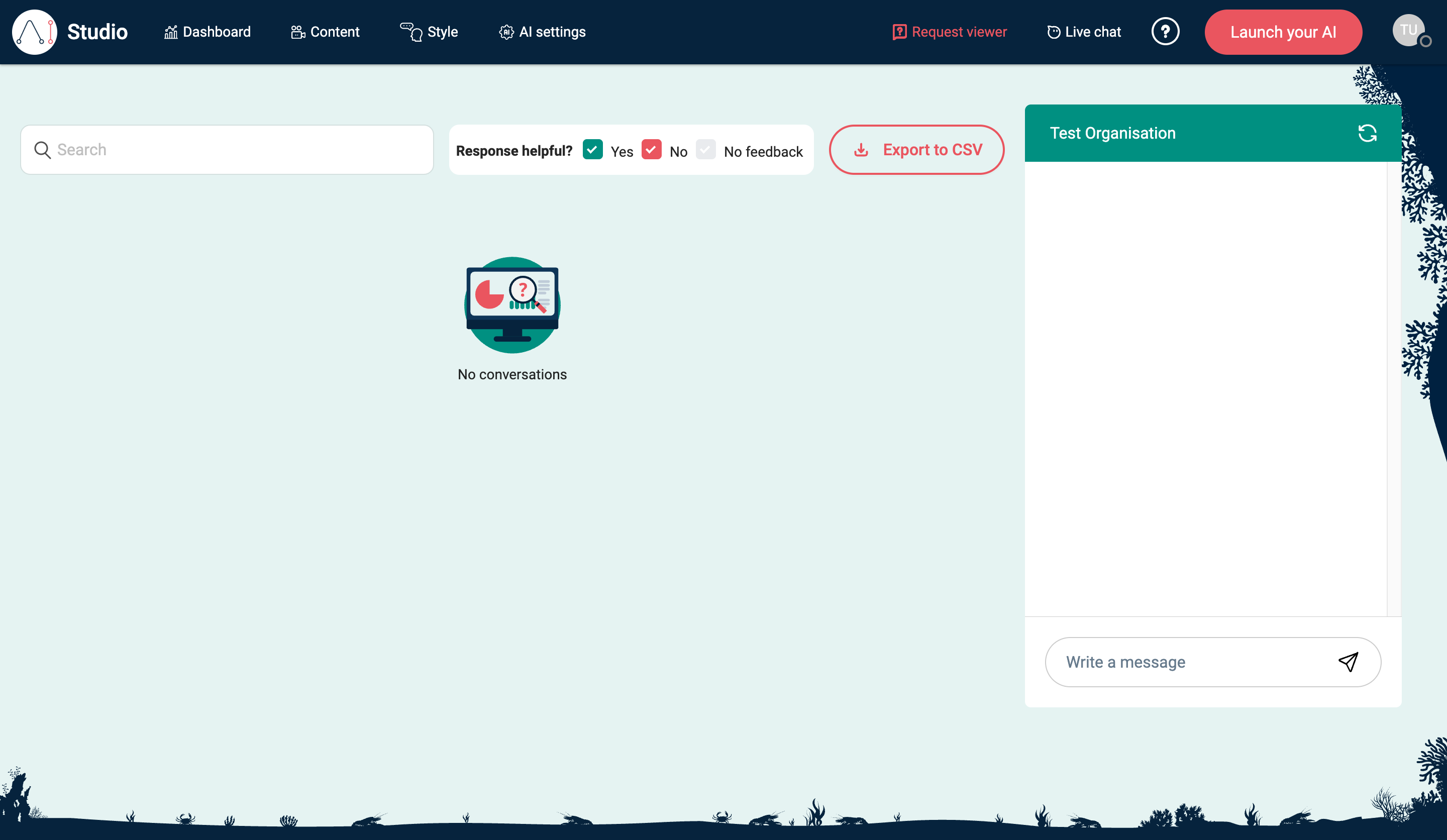
- In the top navigation, select Request viewer.
- Use Search to find specific queries.
- Filter by Response helpful? (Yes / No / No feedback).
- Select a request card to expand it.
Request viewer loads recent request data and shows No conversations when there are no matching requests.
3) Read request details
The expanded request card helps you understand how EBI's AI Studio handled a user's message.
| Field | What it tells you |
|---|---|
| Utterance | The user's message. |
| Flow used | The flow EBI's AI Studio matched, or NLP confidence threshold not met if no flow was confident enough. |
| Confidence score | How confident the flow match was, shown as a percentage when available. |
| Date & Time | When the request was updated. |
| Location | The page or location the request came from, when available. |
| Channel | The channel used, such as the Messenger channel, Teams, or Email. |
| User feedback | Helpful, Not helpful, or Not Given. |
| Locale | The locale recorded for the request. |
| Platform | The application or platform recorded for the request. |
The right-hand preview panel shows the conversation context for the selected request. Use it to compare the user's message with the assistant's actual response.
When review data is available, the expanded card also shows Outcome:. Outcomes can indicate whether the request was already known, similar to known training, too vague, out of scope, a new flow, or had no action taken.
4) Use request details to decide what to improve
Use the request details to choose the smallest useful change:
- If Flow used is wrong, update the flow trigger and training examples.
- If Flow used is NLP confidence threshold not met, add clearer training examples or check the confidence threshold.
- If the flow is correct but the answer is weak, improve the flow response or linked flow.
- If the assistant needs better source material, update Information sources.
- If generated answers need different behaviour, review AI settings.
- If User feedback is Not helpful, use the preview panel before changing anything so you understand what the user saw.
After making a change, select Publish where required and re-test with Try your live AI or Web Messenger.
5) Export requests or conversations
Use export when you want to analyse request patterns outside EBI's AI Studio.
- Select Export to CSV.
- In Export requests/conversations, select Start export.
- Wait while the export shows Export in progress....
- Select Download when the export is ready.
The export covers recent request and conversation data. It can include request text, conversation events, date and channel metadata, flow or intent information, confidence, feedback, and review status. If you use Live chat, exports may include live chat conversation data.
Verify
- After sending a test message, you can find it in Request viewer
- Expanding a request shows request details and updates the conversation preview
- Dashboard metrics update once you have traffic (or test conversations)
- If export is available to your plan, the export modal can create a downloadable file
Common issues
- Everything says “No data yet”: you may not have enough conversations yet; check again after your AI assistant has been live for a while.
- Request viewer is empty: send a test message via Try your live AI or Web Messenger, then refresh.
- You cannot see Export to CSV: export availability can depend on your plan or permissions.
- An export says No export data available: there may be no exportable requests or conversations in the recent export window.
- A request has no useful outcome: check the expanded detail fields and the preview panel, then decide whether the fix belongs in training, a flow, Information sources, or AI settings.