Build
Training
Improve answer quality in EBI's AI Studio using flows and trusted information sources.
Outcome
By the end of this guide you will have improved answer quality by:
- Adding trusted information sources (website and/or documents)
- Refining flows for high-impact questions
- Testing changes before you publish
Prerequisites
- You can sign in to EBI's AI Studio
- You have access to a website URL and/or documents you trust (recommended)
Steps
1) Add website content (optional)
- In the top navigation, select Content.
- Select Information sources.
- Under Website URL, enter your site into Your website URL.
- (Optional) Select Include child pages.
- Select Capture website content.
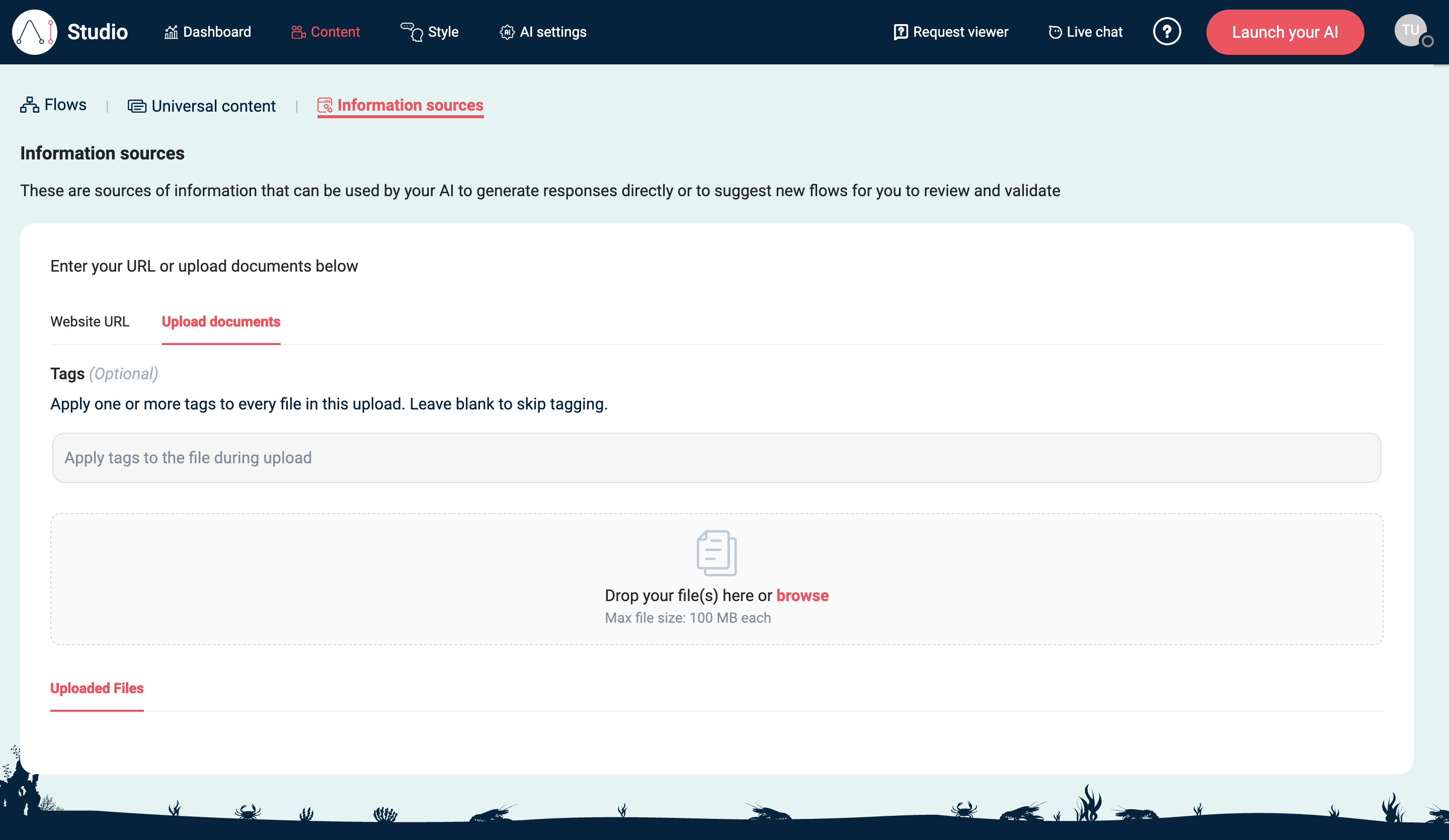
2) Upload documents (optional)
- In Information sources, select Upload documents.
- (Optional) Add upload-wide tags in Tags (Optional).
- Upload your documents using Drop your file(s) here or browse Max file size: 100 MB each.
3) Review universal content (recommended)
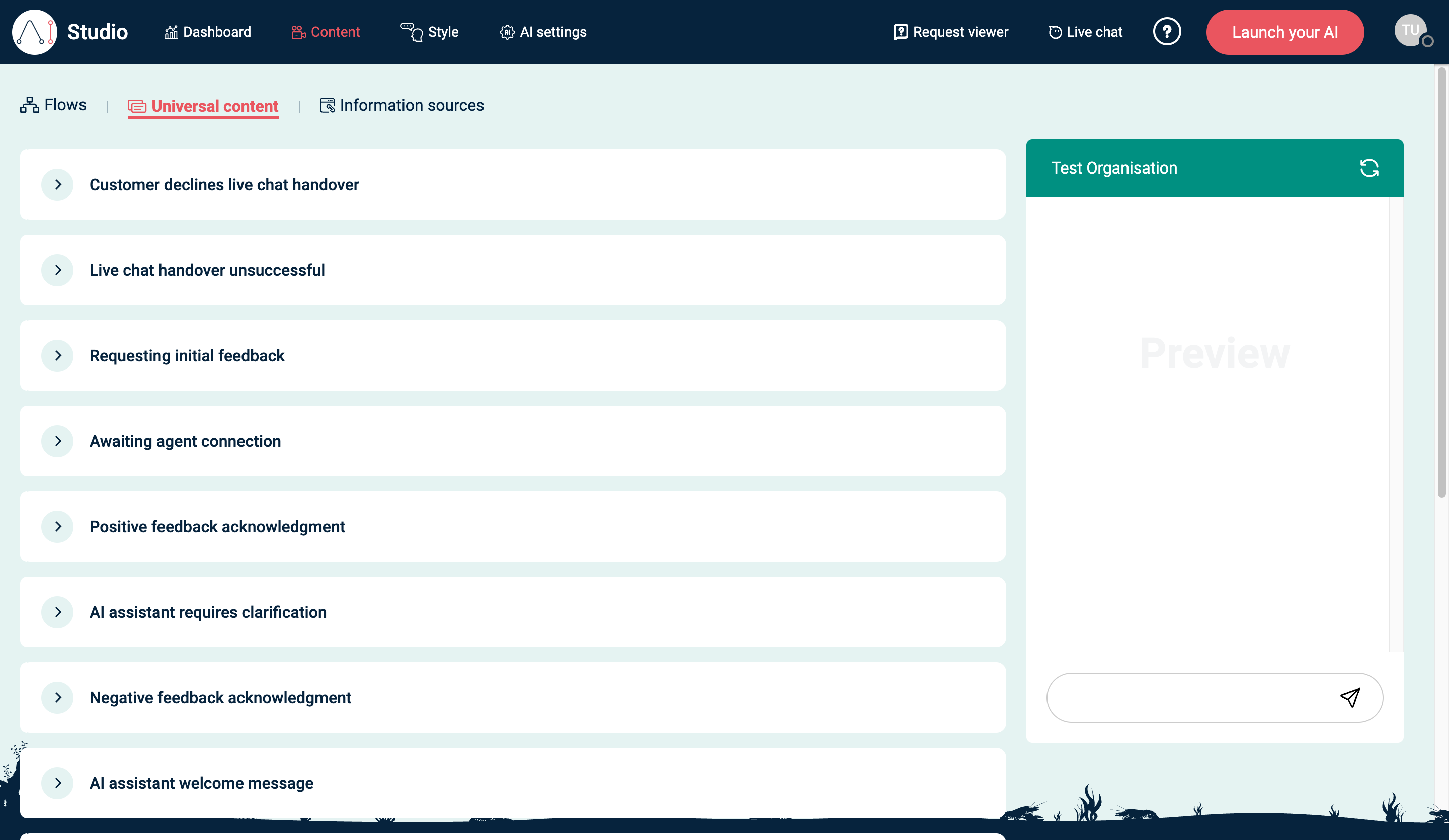
- In the top navigation, select Content.
- Select Universal content.
- Review key messages (for example AI assistant welcome message and Unable to assist - suggest support) and update them if needed.
See Universal content for the full reusable message reference.
4) Tighten answers with flows (recommended)
- In Content, select Flows.
- Add or update flows for any question that needs an exact answer (policies, pricing rules, eligibility, step-by-step processes).
- Select Publish when you’re ready to make the changes live.
5) Add training examples to a flow (recommended)
Flows use training examples to help match user messages to the right intent.
- In Content → Flows, find the flow you want to improve.
- Select the trigger/control icon with the tooltip Control how your flow is triggered.
- Open Training.
- Under Add examples, enter realistic user messages for that flow, then select Add.
- Review Trained examples and keep at least 5 examples before publishing the flow.
If you are already in the flow editor and see Please add at least 5 trained examples in order to publish a flow, select that banner to open the training examples for the flow.
Tip: If you can’t add a training example, it may already exist (EBI's AI Studio enforces unique examples).
For detailed trigger matching, confidence threshold, suggested examples, and overlap checks, see Flow triggers and training examples.
Verify
- In Content → Flows, use Try your live AI to ask:
- 5–10 common questions
- 5 “long-tail” questions (worded differently)
- Confirm responses match your sources and your preferred wording.
Common issues
- The AI uses outdated information: re-upload the updated document or re-run Capture website content, then retest.
- Long answers or the wrong tone: update Response generation instructions in AI settings (if available to your plan).
- Critical questions are still wrong: add a dedicated flow and publish it.
- A flow cannot be published: add at least 5 trained examples for that flow, then try publishing again.