Build
Testing
Validate coverage, tone, and handover in EBI's AI Studio before you publish.
Outcome
By the end of this guide you will have a repeatable way to test your AI assistant before you launch changes.
Prerequisites
- You have at least a few flows in Content → Flows
- You have added training sources in Content → Information sources (recommended)
Steps
1) Create a short test script
Create a checklist of ~20 prompts that includes:
- Your top 10 FAQs
- Your top 5 “how do I…?” tasks
- 3–5 edge cases (ambiguous or misspelled questions)
- 1–2 escalation/handover scenarios (if you use live chat)
2) Test in preview
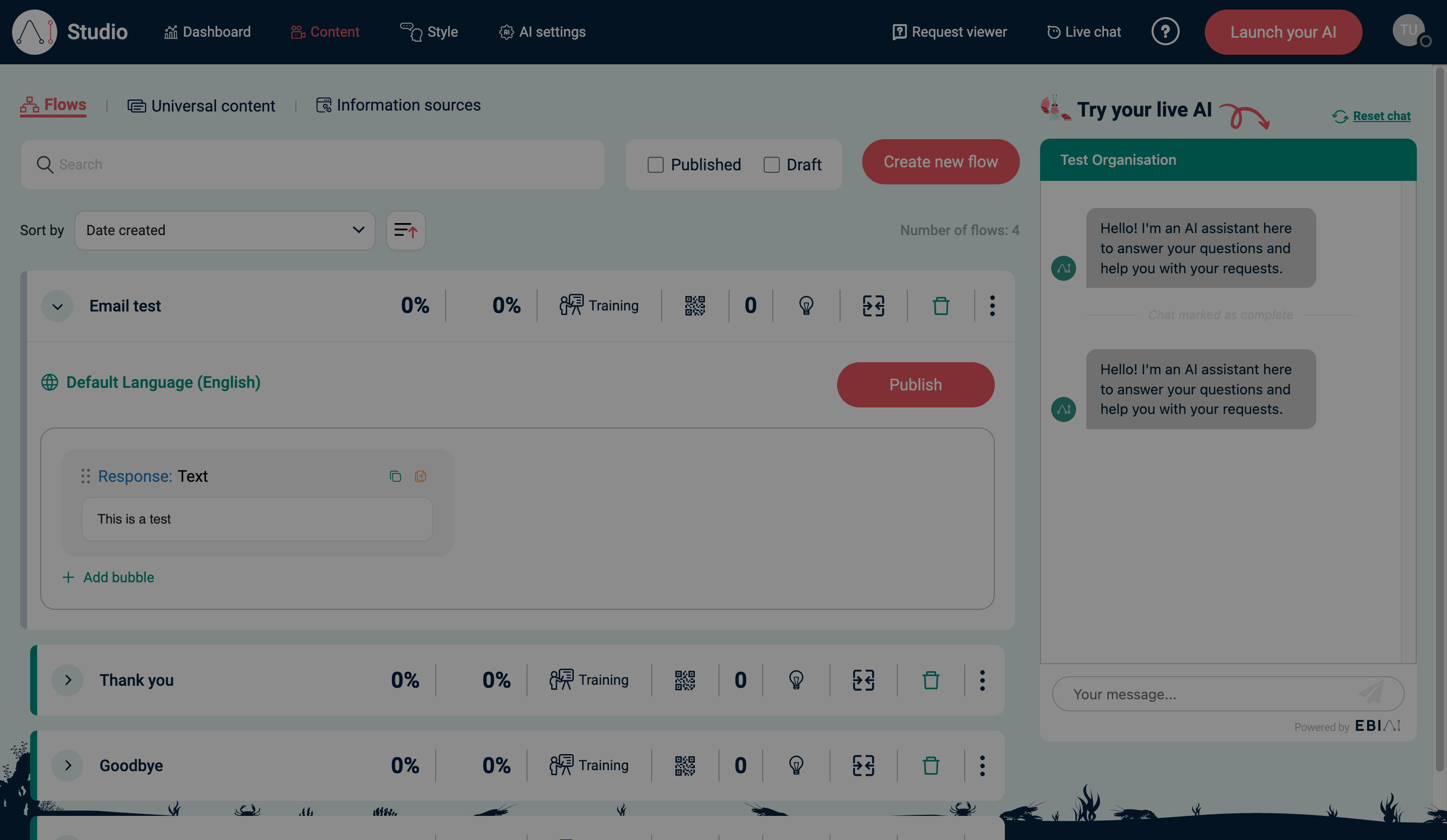
- In the top navigation, select Content.
- Select Flows.
- In Try your live AI, run your test script end-to-end.
- Use Reset chat to restart the conversation when needed.
3) Fix gaps and re-test
- If the AI gives the wrong answer, update the flow response or add a new flow.
- If the AI is missing knowledge, add a source in Information sources.
- Re-run the relevant part of your test script.
4) Test the live Web Messenger (after embedding)
After you’ve embedded Web Messenger on your website:
- Open your website in an incognito/private window.
- Run your test script again.
Verify
- Your test script produces accurate answers in Try your live AI
- If Web Messenger is installed, the widget produces the same answers on your website
Common issues
- Preview answers differ from your website: confirm you selected Publish in Content → Flows and Save and publish in Style.
- The chat won’t reset: select Reset chat, then refresh the page if needed.
- Live chat handover never appears: confirm Live chat is enabled and an agent is online.